
Server Types
Learn about different Minecraft server types and how to configure them.
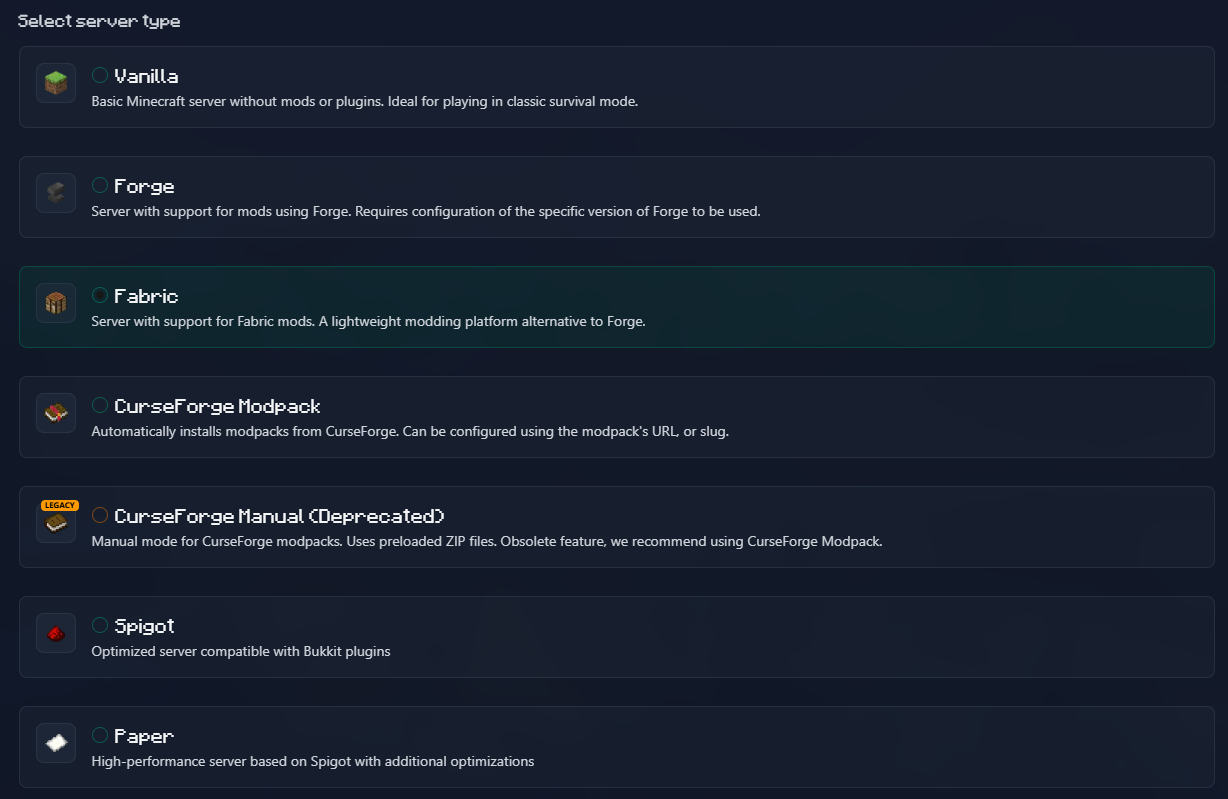
Vanilla
Basic Minecraft server without mods or plugins.
environment:
  TYPE: VANILLA
VERSION: 1.21.4Fabric
A lightweight modding platform alternative to Forge.
Basic Setup
- Select Fabric as server type
- Choose your Minecraft version
- Optionally specify loader/launcher versions
Configuration Options
| Option | Variable | Description | Default |
|---|---|---|---|
| Loader Version | FABRIC_LOADER_VERSION | Fabric loader version | Latest |
| Launcher Version | FABRIC_LAUNCHER_VERSION | Fabric launcher version | Latest |
| Custom Launcher | FABRIC_LAUNCHER | Path to custom launcher jar | - |
| Launcher URL | FABRIC_LAUNCHER_URL | URL to custom launcher | - |
| Force Reinstall | FABRIC_FORCE_REINSTALL | Re-install if corrupted | false |
Example Configuration
environment:
  TYPE: FABRIC
  VERSION: 1.21.4
  FABRIC_LOADER_VERSION: 0.13.1
FABRIC_LAUNCHER_VERSION: 0.10.2Fabric API
Most Fabric mods require the Fabric API mod. Install it easily using Modrinth.
Forge
The most popular mod loader with extensive mod compatibility.
Configuration Options
| Option | Variable | Description | Default |
|---|---|---|---|
| Forge Version | FORGE_VERSION | Forge build number | Latest for version |
Example
environment:
  TYPE: FORGE
  VERSION: 1.20.4
FORGE_VERSION: 43.2.0Paper
High-performance Spigot fork with plugins support.
Configuration Options
| Option | Variable | Description | Default |
|---|---|---|---|
| Build | PAPER_BUILD | Specific Paper build | Latest |
| Channel | PAPER_CHANNEL | Release channel | default |
| Download URL | PAPER_DOWNLOAD_URL | Custom download URL | - |
Example
environment:
  TYPE: PAPER
  VERSION: 1.21.4
PAPER_BUILD: 120Spigot
Popular plugin-based server.
Configuration Options
| Option | Variable | Description | Default |
|---|---|---|---|
| Download URL | SPIGOT_DOWNLOAD_URL | Custom download URL | - |
| Build from Source | BUILD_FROM_SOURCE | Compile from source | false |
Example
environment:
  TYPE: SPIGOT
VERSION: 1.20.4Bukkit
The original plugin platform.
Configuration Options
| Option | Variable | Description | Default |
|---|---|---|---|
| Download URL | BUKKIT_DOWNLOAD_URL | Custom download URL | - |
| Build from Source | BUILD_FROM_SOURCE | Compile from source | false |
Purpur
Fork of Paper with additional features.
Configuration Options
| Option | Variable | Description | Default |
|---|---|---|---|
| Build | PURPUR_BUILD | Specific Purpur build | Latest |
| Download URL | PURPUR_DOWNLOAD_URL | Custom download URL | - |
| Flare Flags | USE_FLARE_FLAGS | Use Flare performance flags | false |
Pufferfish
Paper fork focused on performance.
Configuration Options
| Option | Variable | Description | Default |
|---|---|---|---|
| Build | PUFFERFISH_BUILD | Specific build | Latest |
| Flare Flags | USE_FLARE_FLAGS | Use Flare flags | false |
Folia
Experimental multi-threaded Paper fork.
Configuration Options
| Option | Variable | Description | Default |
|---|---|---|---|
| Build | FOLIA_BUILD | Specific build | Latest |
| Channel | FOLIA_CHANNEL | Release channel | default |
| Download URL | FOLIA_DOWNLOAD_URL | Custom URL | - |
Leaf
Another Paper fork with optimizations.
Configuration Options
| Option | Variable | Description | Default |
|---|---|---|---|
| Build | LEAF_BUILD | Specific build | Latest |
CurseForge Modpacks
Install complete modpacks from CurseForge.
API Key Required
You need a CurseForge API key. Get one from CurseForge for Studios.
Installation Methods
1. URL Method (easiest):
environment:
  TYPE: AUTO_CURSEFORGE
  CF_API_KEY: your_key
CF_PAGE_URL: https://www.curseforge.com/minecraft/modpacks/all-the-mods-9/download/54649882. Slug + File ID:
environment:
  TYPE: AUTO_CURSEFORGE
  CF_API_KEY: your_key
  CF_SLUG: all-the-mods-9
CF_FILE_ID: 54649883. Auto-select latest:
environment:
  TYPE: AUTO_CURSEFORGE
  CF_API_KEY: your_key
CF_SLUG: all-the-mods-9Advanced Options
| Option | Variable | Description | Default |
|---|---|---|---|
| Force Sync | CF_FORCE_SYNCHRONIZE | Re-download even if exists | false |
| Parallel Downloads | CF_PARALLEL_DOWNLOADS | Concurrent downloads | 4 |
| Skip Existing | CF_OVERRIDES_SKIP_EXISTING | Don't overwrite files | false |
| Set Level From | CF_SET_LEVEL_FROM | World source: WORLD_FILE, OVERRIDES | - |
| Force Include | CF_FORCE_INCLUDE_MODS | Force download specific mods | - |
| Exclude Mods | CF_EXCLUDE_MODS | Exclude specific mods | - |
Next Steps
- Learn about Mods & Plugins Management
- See all Configuration Options